
How to view your activity history on TikTok
You may have already experienced at least once that you can’t find the video you watched a few days ago. But this challenge can be overcome because TikTok keeps a history of your activities. So, you can check your watch history and rewatch the video you’ve already seen.
Viewing your activity history also has other benefits. For instance, you can monitor your child’s TikTok activity. In this post, I will demonstrate how to view all types of activity on TikTok (watch history, likes, comments, etc. ).

How to view your watch history on TikTok
In case you didn’t save a video that you have previously watched and wish to watch it again, then there is no need to worry! TikTok allows you to see your watch history. TikTok stores a record of all the videos you’ve watched in the last 6 months organized by date. Follow these steps to access your watch history:
1. Launch the TikTok app and tap the Profile icon (at the bottom).
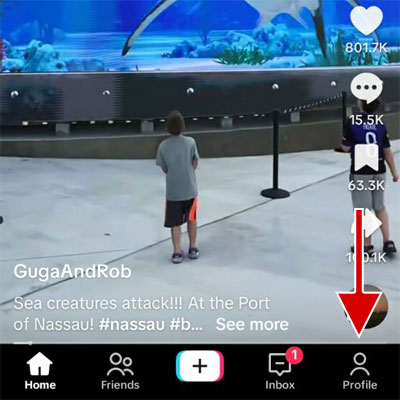
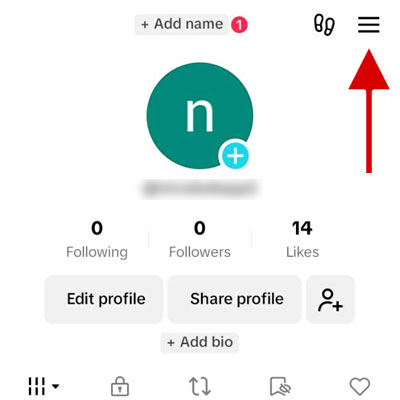
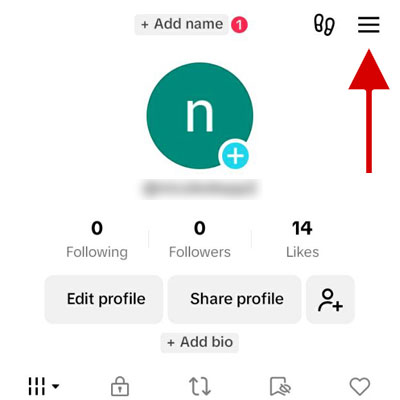
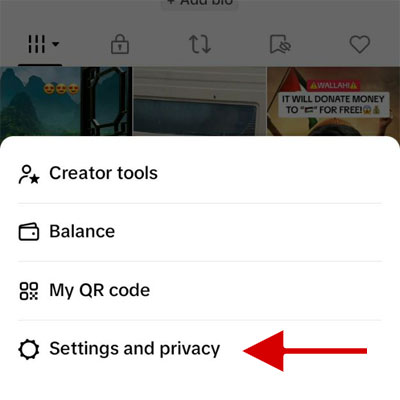
2. Tap the hamburger icon and select Settings and Privacy.
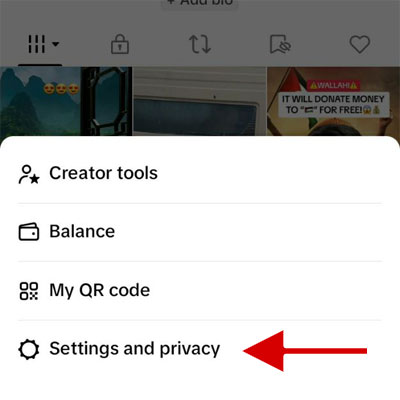
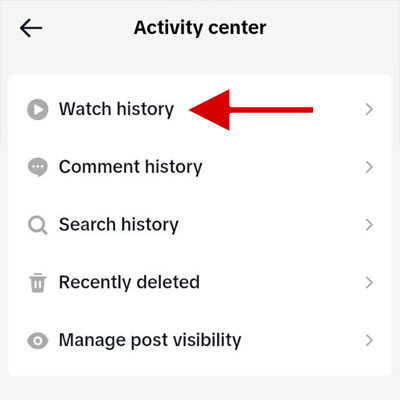
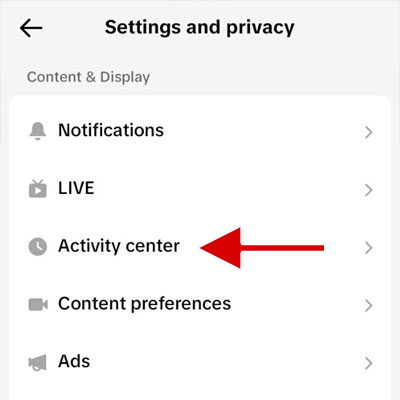
3. Tap on Activity Center.
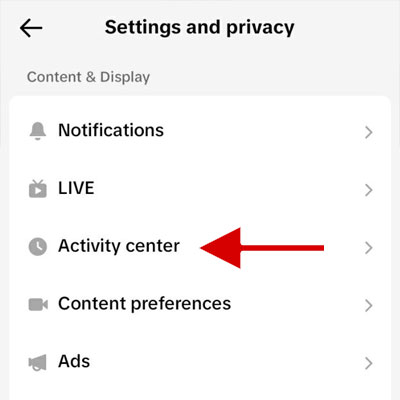
Step 4: Tap on Watch History.
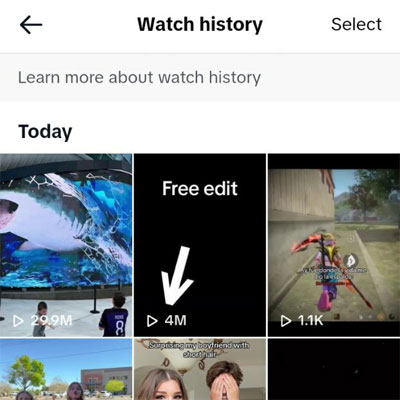
If you want to remove some videos from your watch history, just hit the Select button up top > pick the ones you don’t want anymore > and tap Delete.
How to view liked videos on TikTok
Accessing videos that you’ve liked is very easy on TikTok. The Liked videos tab displays all the videos you have liked in the past in one place. Just do this:
1. Open the TikTok app and tap on Profile.
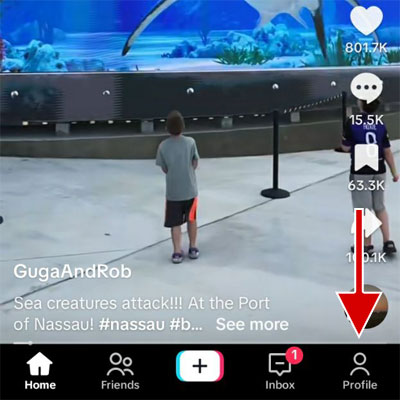
2. Go to the tab with the heart icon.
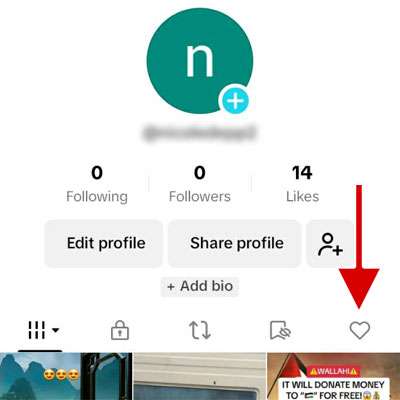
3. You can see all the videos you have liked.

By default, only you can see the list of your liked videos. You can also let the people who visit your profile see them: Tap the menu on your profile > Settings and privacy > Privacy > Liked videos > Everyone.
How to view the comments history on Tiktok
To view your sent comment history on TikTok, you need to open Activity Center > Comment History. On this screen, you can access all of the comments you have already posted:
1. On the TikTok app, tap Profile.
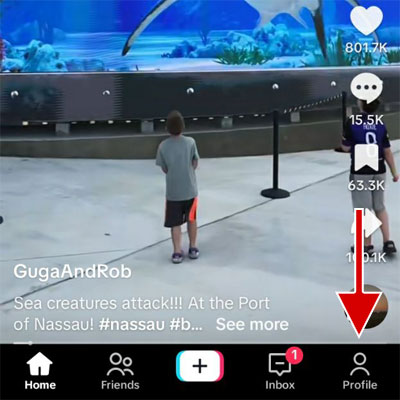
2. Tap the hamburger icon at the top of the screen and select Settings and Privacy.
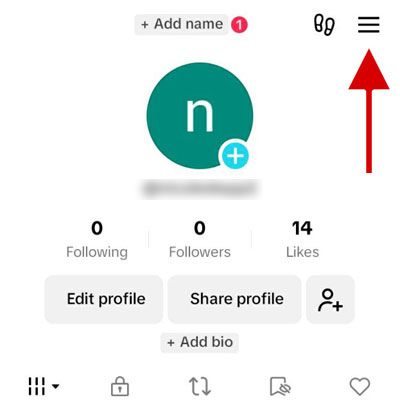
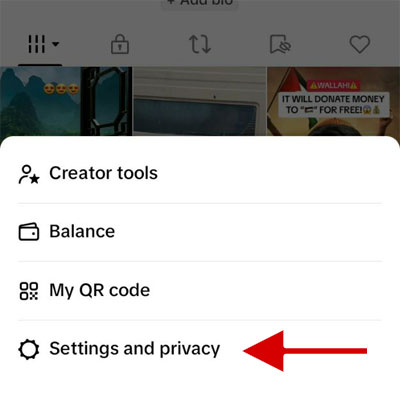
3. Tap Activity Center.
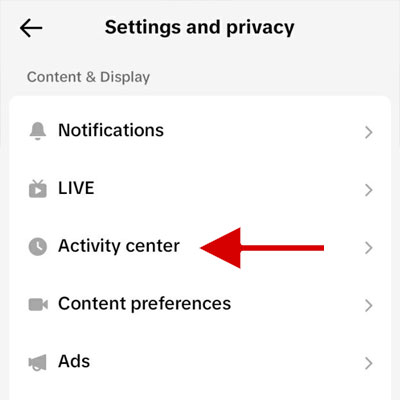
4. Tap Comment history.
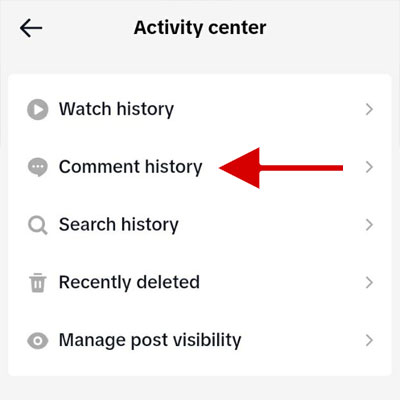
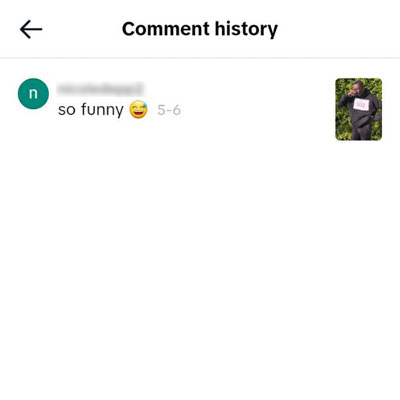
Your posted comments are available in Comment history. To delete a comment, tap on the desired comment to be directed to the video comments section. Then, long-press on your comment and select the Delete option.
How to view search history on Tiktok
Within the TikTok search bar, only the most recent searches you have made are visible. To view your full search history, go to Activity center > Search history:
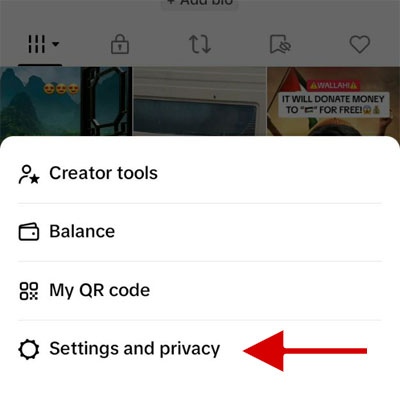
Step 1. On your TikTok profile, tap the hamburger icon.
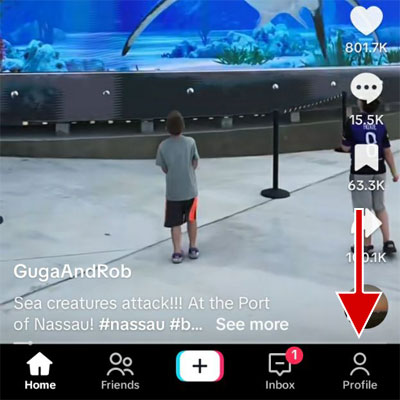
Step 2. Then, tap Settings and Privacy.
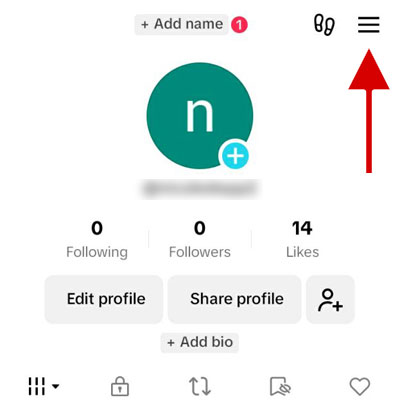
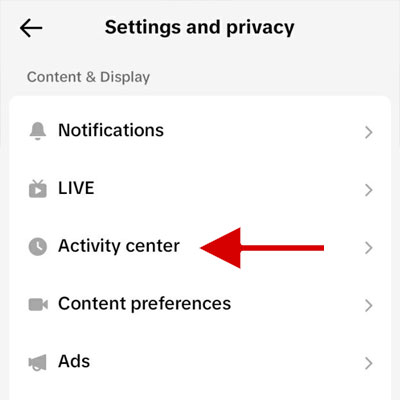
Step 3. Tap Activity center.
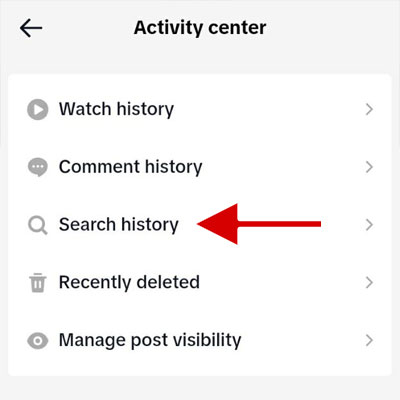
Step 4. Tap Search history to view all of your searches by date.
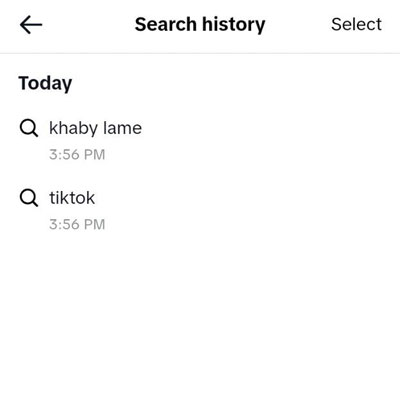
To delete one or more items from your search history: Tap Select at the top of the screen > select the items you want to delete > and tap the Delete button.
How to view and restore deleted videos in TikTok
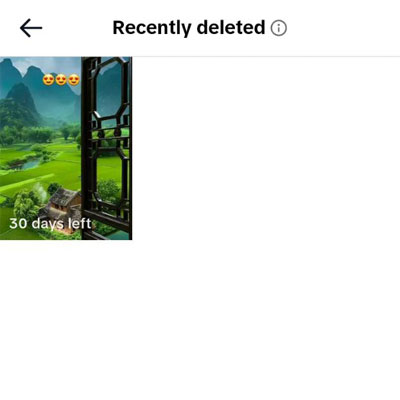
When you delete one of your TikTok videos, it’s only temporarily deleted. In fact, TikTok gives you 30 days to recover the video after deleting it. To restore your newly deleted video, here’s what you need to do:
Step 1. Open your profile in TikTok.
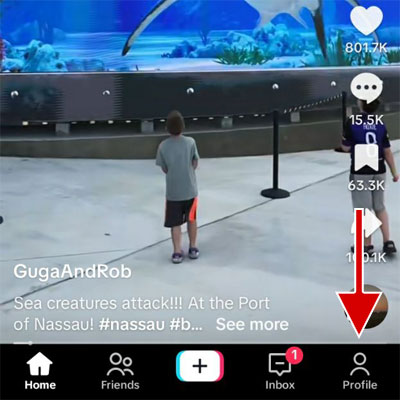
Step 2. Tap the hamburger icon and tap on Settings and privacy.
Step 3. Tap on Activity center.
Step 4. Tap on Recently deleted.
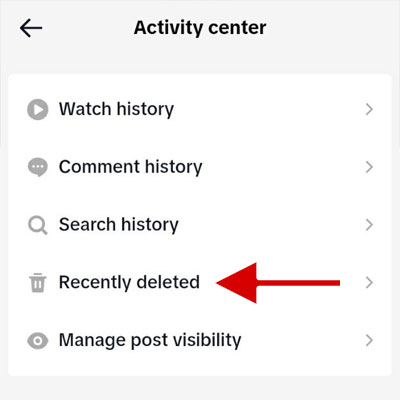
Step 5. Locate the video in the list, tap on it. Then tap on the Restore button.
Conclusion
The Activity Center is the place where you will be able to check out your activity history on TikTok. You will be able to use it to check out the watch history, liked video content, posted comments, and search history. So it lets you access the videos you have watched before or monitor your child’s activities.
FAQs
Can people see what I liked on TikTok?
No, by default, unless you have changed the relevant settings. You can set who can see the videos you liked. To do this, go to: Profile > Settings and privacy > Privacy > Liked videos.
Can I see my watch history on the TikTok website?
No, you can’t. Also, videos you watch on the website won’t be listed in the app’s watch history either.
How do I recover my deleted TikTok videos?
Deleted videos can be restored for up to 30 days. Restore them by navigating to: Profile > Settings and privacy > Activity center > Recently deleted.
How do I erase my search history on TikTok?
To erase your search history, go to your profile> click on the menu > press Settings and privacy > click on Activity center > Search history > select items > click Delete all.
How long does TikTok keep activity records?
TikTok keeps your activity records for a maximum of 180 days (about 6 months).
How can I see my activity on TikTok?
The Activity Center on TikTok shows your activity history, such as watch history, comment history, like history, search history, etc. To access it: Go to your profile > tap the menu icon > select Settings and privacy > tap Activity center.