How to see who viewed your TikTok profile, video, or story
A lot of TikTok creators and ordinary users wonder who watches their profiles, videos, or stories. The positive thing is that TikTok has features for that.
Being an ordinary user, it is not just knowing who views you most frequently that will fulfill your curiosity, but it can also enable you to preserve your privacy. As one example, you can block someone’s access to your profile and content.
Or, as a content creator, you can get very useful info about your audience. You are able to discover the age of your audience or the region that they are in. You are also able to interact with them and learn more about their interests.
In this post I will show you how to check who has viewed your profile, videos, and stories on TikTok.
How to see who viewed your TikTok profile
On TikTok, there is a feature called Profile View History, which allows you to see who has viewed your profile in the last 30 days. Just note these points:
- You must be 16 years or older.
- Have fewer than 5000 followers.
- You’ll only see profile views from accounts that have turned on the Profile View History in settings.
- If you have turned on the Profile View History in your account settings and see another profile that has enabled this feature, the account owner can notice that you have visited its profile.
Use the guide below to find out who has visited your profile:
1. Open the TikTok app.
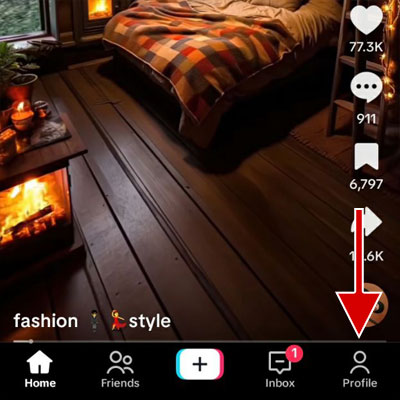
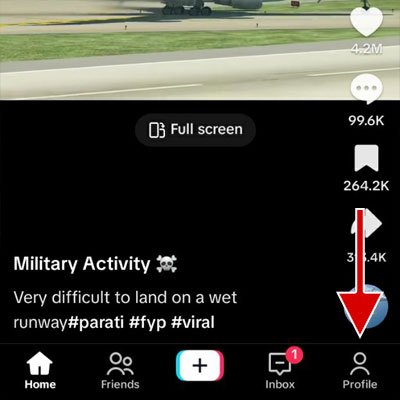
2. Tap the profile at the bottom corner.
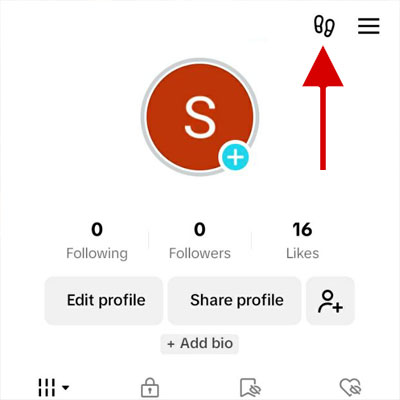
3. Tap on the footstep icon (or eye icon) at the top of the screen.
4. Tap on the Turn on button.
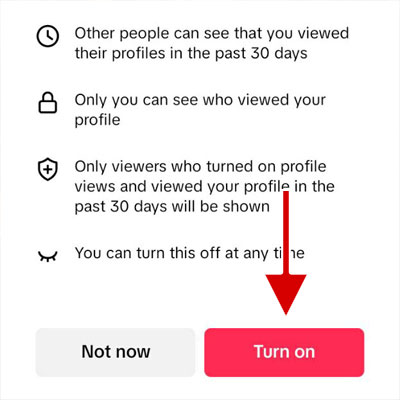
5. Your profile viewers list will appear.
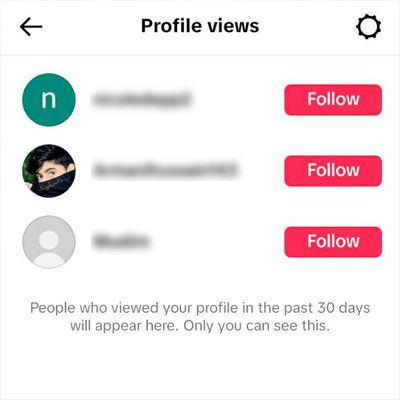
How to see who viewed your TikTok video
The Post view history feature on TikTok enables you to see who viewed your video or post up to 7 days after you published it. Just note these points:
- You must be at least 16 years old.
- Have less than 5000 followers.
- In the Post view history section, only the accounts that have followed you and enabled the Post view history will be displayed.
- You can see the viewers’ list only up to 7 days after publishing the post.
- All those who have liked your video or sent a comment about it, regardless of whether they have followed your account or the post view history is enabled in their account settings, will be listed.
By using the guide below, you can find out who viewed your video or post:
1. Launch the TikTok app.
2. Tap the profile at the bottom of the screen.
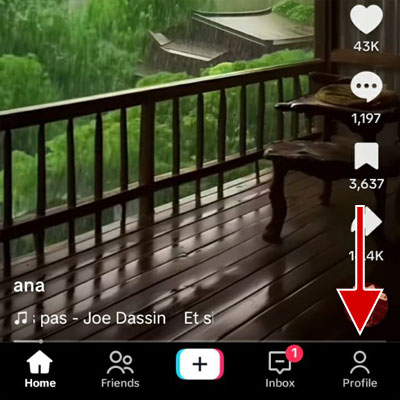
3. Open the desired video.
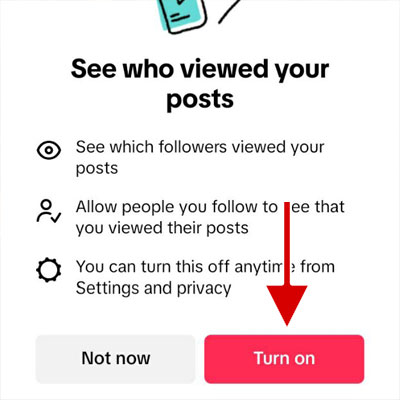
4. Tap on See who viewed your posts.
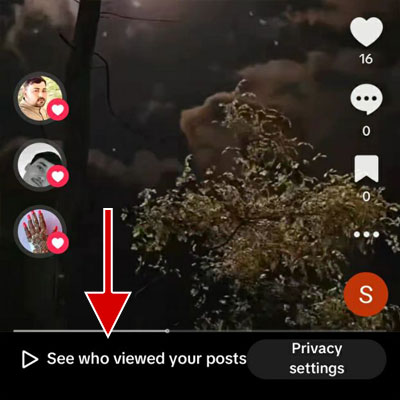
5. Tap on the Turn on button.
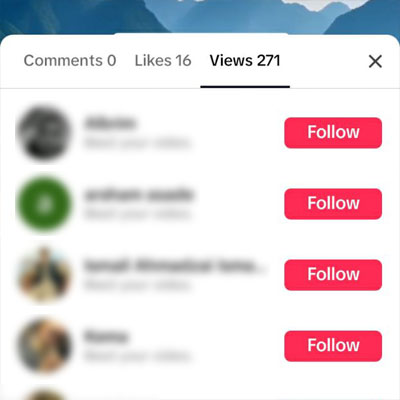
6. Viewers will be listed.
How to see who viewed your story on TikTok
TikTok also lets you see who has viewed your story. here’s how:
1. On the TikTok application, tap on the profile.
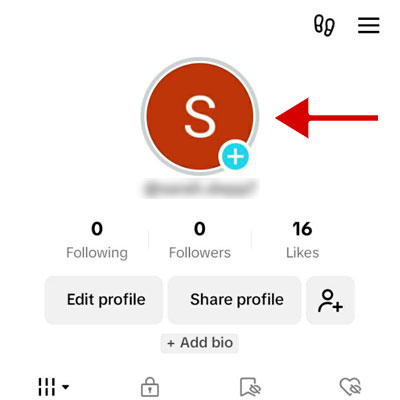
2. Tap on your profile picture.
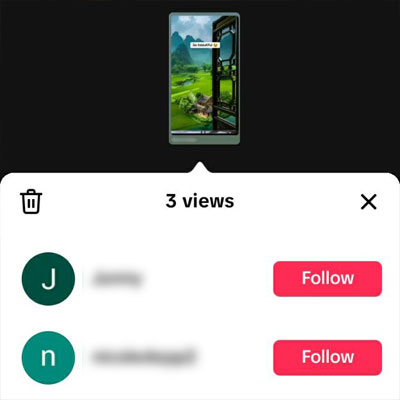
3. Tap Views at the bottom of the screen.
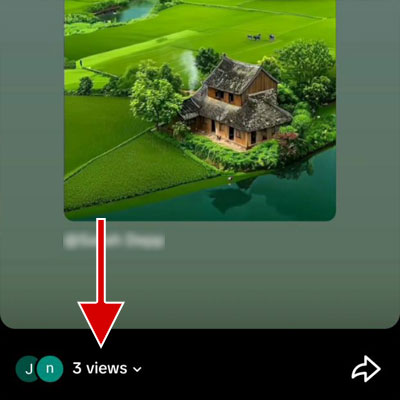
4. People who have seen your story will be displayed.
Advantages of seeing who viewed your profile or content on TikTok
Knowing the audience
If you know who visited your video or profile, you will receive useful information about your audience. This information can include their interests, age range, location, language, and culture. All this will help you in improving your content creation strategies and marketing strategies.
Knowing the audience’s needs
One of the critical success factors for novice content creators is understanding audience needs/interests.
As a creator, if your video isn’t getting high engagements, it means it wasn’t engaging/useful enough. Ratio of (Likes + comments) / views is a nice content quality metric. This metric will show you which of your videos has engaged the most.
Increase engagement
As a new content creator on TikTok and wish to have new followers, you can follow the people who visited your profile or videos. This will make them likely to follow your profile as well.
Plus, if you own a business, you can identify and engage with people who watch your profile or videos. This can lead to higher brand awareness and a greater chance they will become a customer.
Control over privacy
If you check who visited your profile or videos, it will help you control your privacy. You can identify and block those accounts that you find suspicious and do not want them to access your content.
Frequently asked questions
Why can’t I see who viewed my TikTok profile?
You cannot see who visited your TikTok profile for the following reasons:
- Your age (the birth date you entered when registering on TikTok) is less than 16 years old.
- You have more than 5000 followers.
- You have not enabled profile views in settings.
- Nobody visited your profile in the last 30 days.
Why can’t I see who viewed my video on TikTok?
You may not be able to see who has viewed your TikTok video for the following reasons:
- Your age (the birth date you entered when registering on TikTok) is less than 16 years old.
- You have more than 5000 followers.
- More than 7 days have passed since you posted your video.
- Post view history is disabled in your account settings.
Does TikTok notify the owner when I visit a user’s profile?
No, TikTok will not notify the user that you have visited its profile, but if you and the user have enabled profile views, the user will see your account in the Profile view history.
When I see a TikTok story, does the owner know?
Yes, the owner of a TikTok story can see who has viewed the story.